Five methods for easily sharing a QGIS model#
Introduction#
Finally, after long hours of work and drinking too many cups of coffee, you have created a model as beautiful as a Kandinsky painting. Now, you wish to share your model with your colleagues so you're not the only one who can enjoy it.
In this article, I will present five methods for sharing your QGIS model.
The paper plane method#
One of the more creative colleagues on your team will surely find an astonishing method, such as taking a screenshot of the model, printing it, transforming it into a paper plane, and throwing it to the person of his choice. Stunning!
In fact, this method is not so different from what was done some years ago: sharing coding knowledge using manuals.
I agree it is very funny, but not very efficient. Fortunately, the QGIS community worked on the question and is offering alternative solutions.
Shared directory#
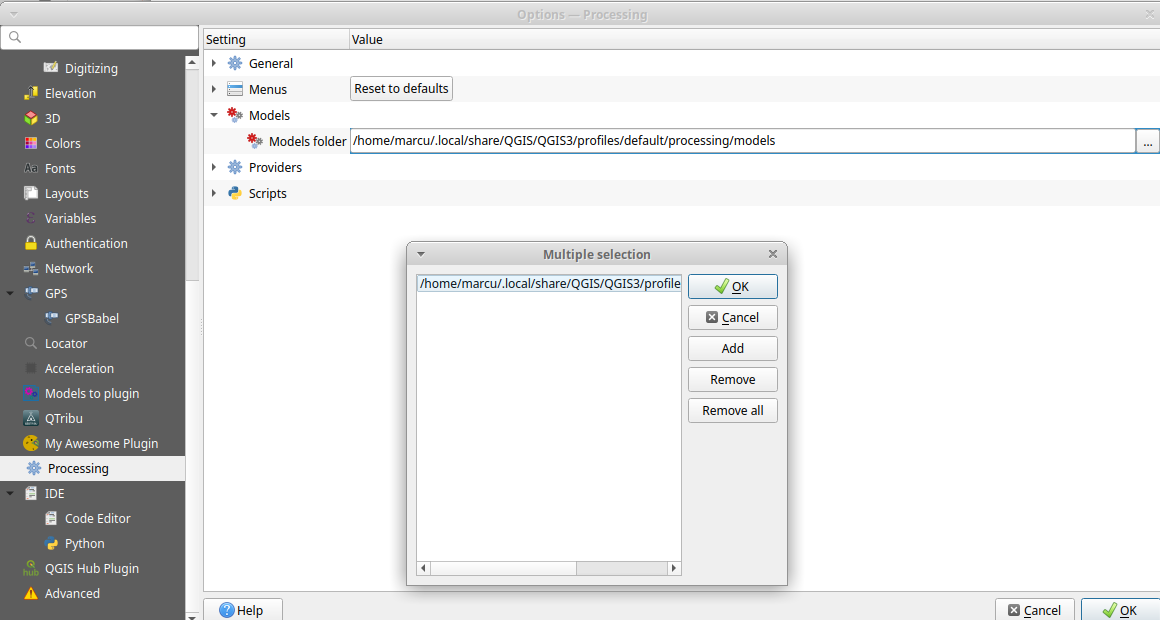
If you want to share your models with your team without making them public, you can configure QGIS to look for models in a shared directory.
To do that, go to "Settings" > "Options" > "Processing" > "Models" and add the path of the shared directory to the "Models folders". Quick and efficient (thanks to GeoJulien for the tip) !
Using the QGIS resources hub#
Do you know about the QGIS resource hub?
The hub, which was introduced in QGIS 3, allows you to easily share templates, scripts, styles, symbols, and more.
To be honest, I don't yet have the habit of using it. If this is
also the case for you, here is a brief overview of how it works.

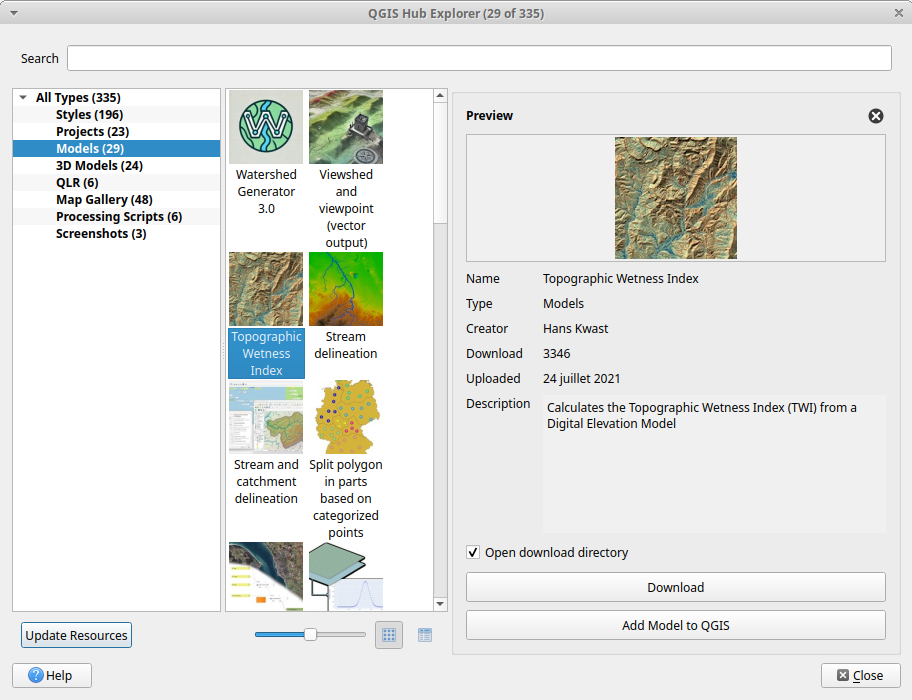
The QGIS hub is accessible at https://hub.qgis.org. It is an online platform where users can publish and download QGIS resources: styles, projects, templates, and so on. You can find the resource that interests you and integrate it directly into QGIS.
If, like me, you prefer to minimize manual steps, you can install the QGIS Hub Plugin and access the resources directly within QGIS.
QGIS Resource Sharing#
QGIS Resource Sharing is a plugin that allows you to load resources from online repositories. These repositories can contain styles, symbols, scripts and processing templates, R scripts, etc. When the plugin is installed, you can share resources very easily.
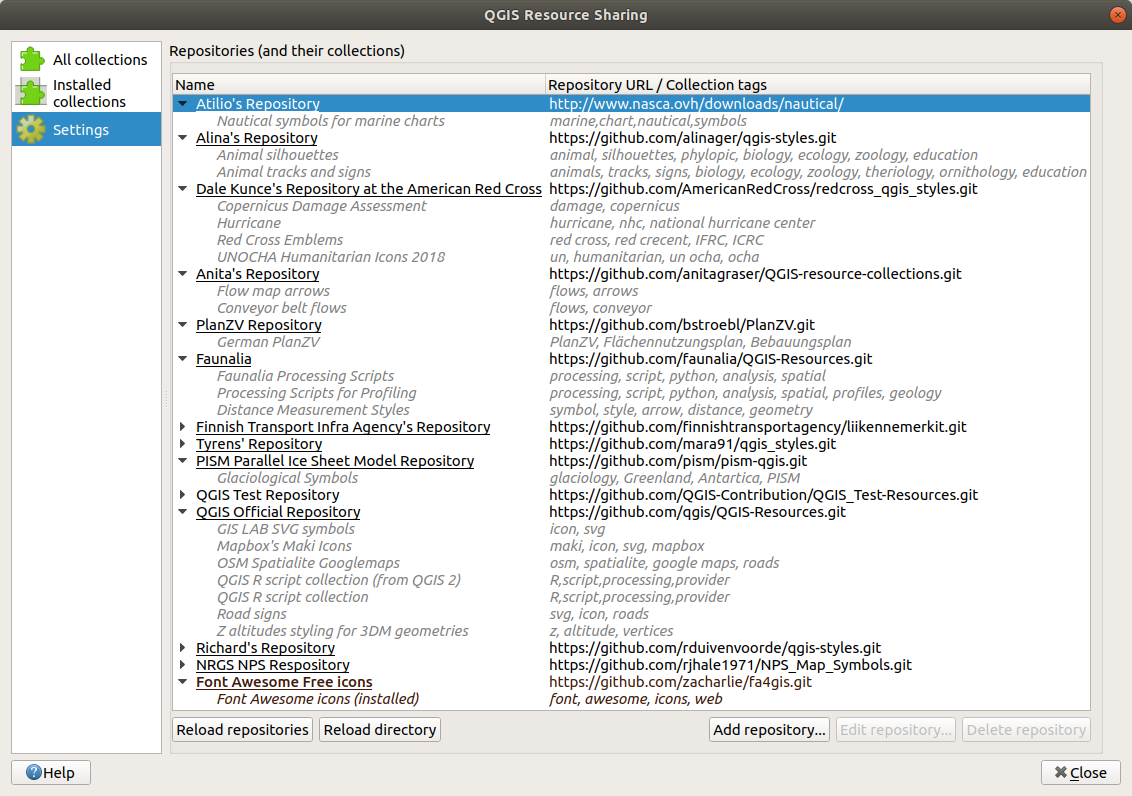
You can configure the plugin to use multiple sources. Furthermore, the management of updates is automated: collections are downloaded and updated via Git, which greatly facilitates the synchronisation of shared resources.
To share your resources, you can create your own Git repository or contribute to an existing repository.
Many thanks to Julien and Loïc for discovering the tool!
Embedding your models into a plugin#
The last method is to embed your models into a QGIS plugin.
Each plugin can add tools to the "Processing Toolbox" of QGIS, including models. For instance, the Cadastre plugin adds additional processing tools to the toolbox: exploding_head: !
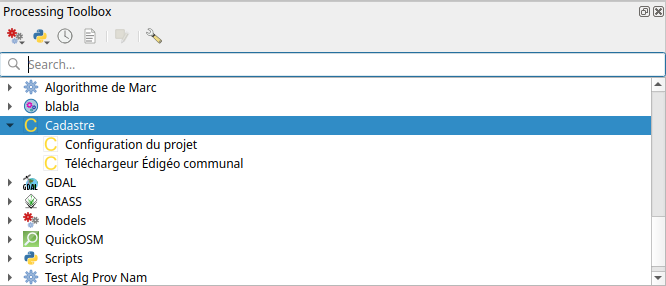
If you know how to do it, you can create a plugin to share your models. In this case, the QGIS plugin Templater can help you in this task : it allows you to initiate a plugin structure containing a processing provider. Another tool that can help you is the QGIS Plugin Templater GUI which enables you to configure the QGIS plugin Templater tool within QGIS.
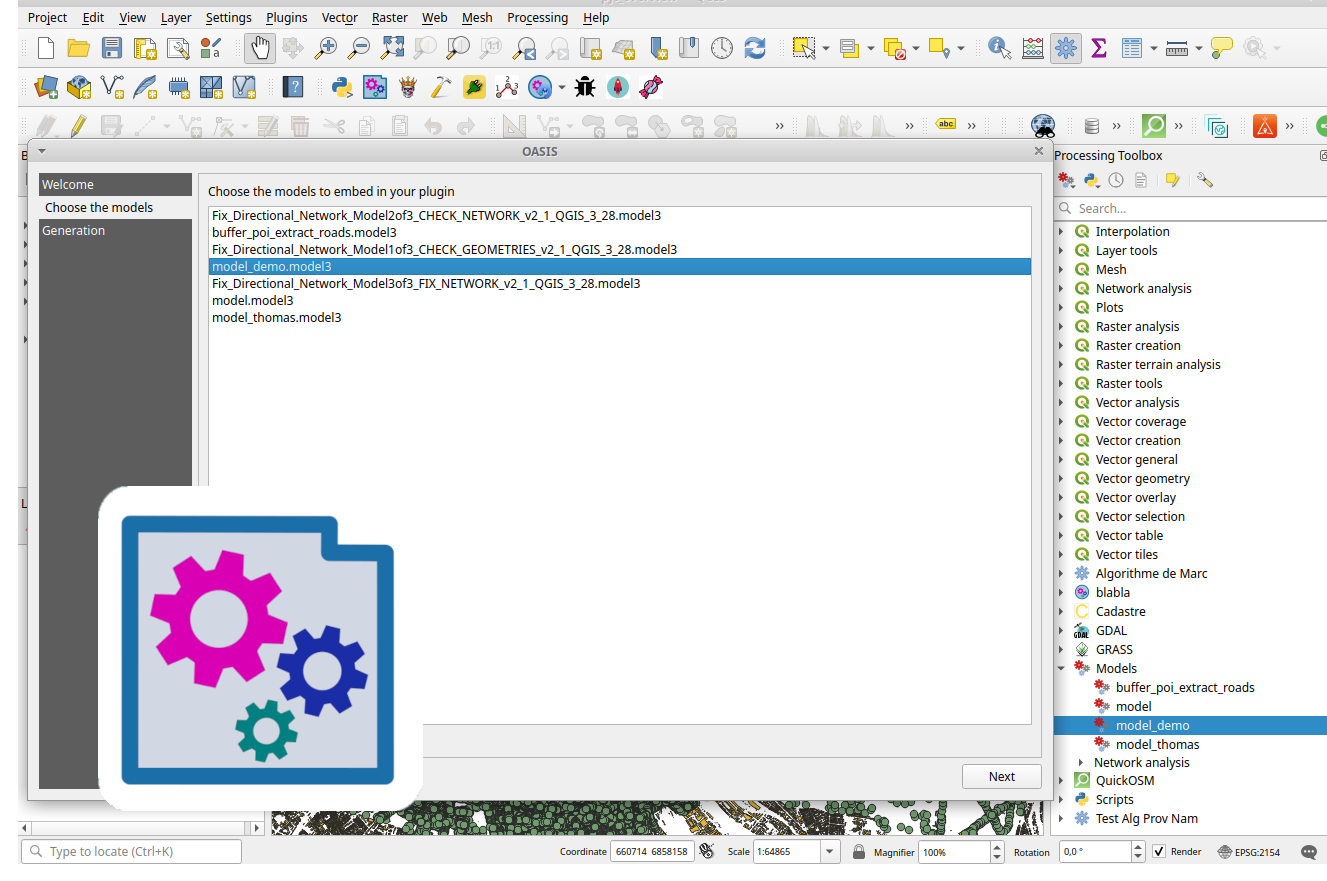
But creating a plugin is not so easy, so I started developing a tool to assist you with this task. This is the Models2Plugin.
You can embed your plugin in three steps: first, encode some basic information; then, select the models to integrate; and finally, generate the plugin.
To conclude#
We explored five methods for sharing your QGIS models. Each method has its own specifics and can respond to a particular need. The QGIS community is incredibly active and creative in making the use of QGIS ever more efficient.
Were you aware of these different methods ? Do you have any other tips for sharing your models ? Feel free to share your experiences in the comments !